
Download the Official iPhone 18 Pro Max Wallpapers in 4K
Published
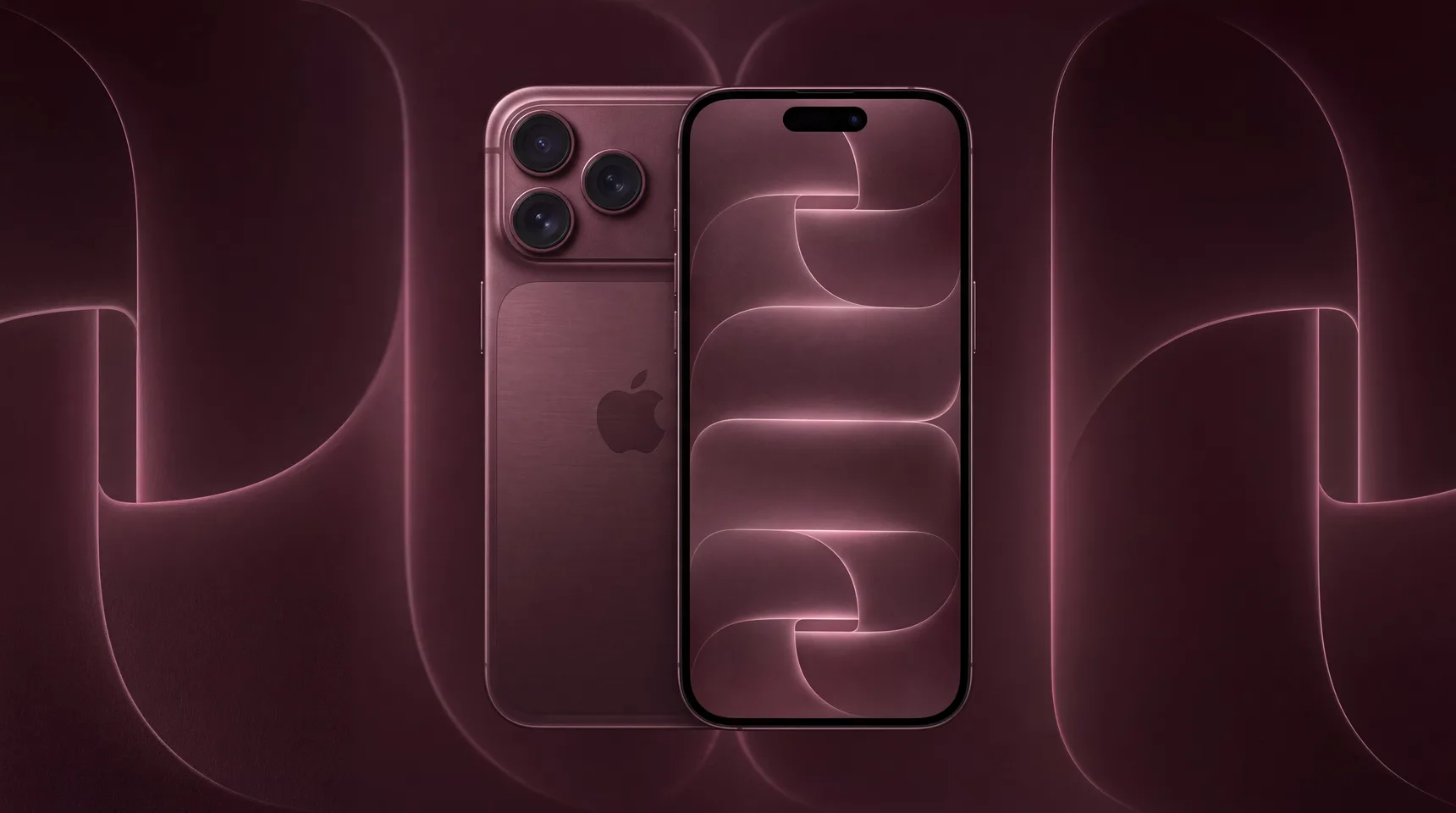
Apple introduced the iPhone 18 Pro Max today, and with it a new set of wallpapers. There are four of them, one for each finish of the phone: Silver, Black, Glacier and Burgundy. All four share the same motif — wide ribbons that fold over each other and catch a thin line of light along every edge — and each one is tinted to match the colour of the body it ships with.
You do not need the new phone to use them. Every wallpaper on this page is free, and each one comes in six iPhone sizes, so an iPhone 11 or an iPhone SE gets a file cut for its screen instead of a large image the system crops on its own. Pick your colour below, or jump to the resolution table if you already know which size your phone takes.
Key takeaways
- Four wallpapers, one per iPhone 18 Pro Max finish: Silver, Black, Glacier, Burgundy.
- Free to download, no account needed.
- Six iPhone resolutions each, from 750x1334 up to 1290x2796.
- They work on any iPhone, not only the 18 Pro Max.
- Android and desktop sizes are on each wallpaper page too.
iPhone 18 Pro Max Silver wallpaper

The Silver wallpaper is the quietest of the four. The ribbons are white on white, separated only by the soft shadow where one folds under the next and a faint line of light along the top edge of each curve. On an OLED screen it reads as texture rather than as a picture, which is what makes it work behind a lock screen clock: there is nothing bright enough to fight the time for attention. It also suits a home screen with a lot of icons, where a busier wallpaper turns into noise.
iPhone 18 Pro Max Black wallpaper

The Black version is the same shape inverted: deep black ribbons with a bright white edge tracing every fold. It is the most striking of the four and the one most people will want on an OLED iPhone, where true black pixels are switched off entirely and the glowing edges appear to float. That also makes it the friendliest to battery life of the set, and it pairs naturally with dark mode and with the dark tinted icons in iOS.
iPhone 18 Pro Max Glacier wallpaper

Glacier takes the silver ribbons and runs cold blue light along their edges. The surface stays a pale grey-blue while the light itself is much brighter, so the wallpaper has more contrast than the Silver one without becoming dark. If you want something that clearly looks new on the lock screen but still leaves the clock and notifications readable, this is the one to try first. It is also the easiest of the four to live with on a home screen, because the blue sits along the edges rather than across the whole surface, so app labels stay legible wherever they land.
iPhone 18 Pro Max Burgundy wallpaper

The Burgundy wallpaper is the warm one. The ribbons sit in a dusty rose that deepens towards the folds, lit along the edges in a lighter pink. It is the most colourful of the four and the furthest from a neutral background, so it shows off best on a lock screen with a small widget stack rather than behind a full grid of apps.
Which resolution do you need?
iPhone screens are not all the same shape, and a wallpaper cut for the wrong one gets scaled and cropped by the system until the part you liked is off the edge. Each wallpaper below is available in six iPhone sizes. Find your model in the table, then pick that size on the wallpaper page. The sizes below are the iPhone ones; every wallpaper page also carries seven more. Six of those are Android, covering 720x1280 through to 1440x3120, so the same design fits a Pixel or a Galaxy without stretching. The seventh is the original file, which is larger than any phone screen and is the one to take if you would rather crop it yourself or keep a copy at full size.
| Size | Models |
|---|---|
| 1290x2796 | iPhone 14/15 Pro Max, iPhone 15/16 Plus |
| 1284x2778 | iPhone 12/13 Pro Max, iPhone 14 Plus |
| 1170x2532 | iPhone 12/13/14, iPhone 12/13 Pro |
| 1125x2436 | iPhone X, iPhone XS, iPhone 11 Pro |
| 1080x1920 | iPhone 6/6s/7/8 Plus |
| 750x1334 | iPhone 6/6s/7/8, iPhone SE (2nd/3rd Gen) |
How to set one of these as your iPhone wallpaper
- Pick a colour above and open its wallpaper page.
- Choose the resolution that matches your iPhone, then download the image. It lands in Photos.
- Open Settings, then Wallpaper, then Add New Wallpaper.
- Choose Photos, find the image you just saved and select it.
- Pinch to position it if you want, then tap Add. iOS will offer to use it on both the lock screen and the home screen, or to set the home screen separately.
Frequently asked questions
What resolution are the iPhone 18 Pro Max wallpapers?
The largest iPhone size on this page is 1290x2796, which is the one to take for a Pro Max. Smaller iPhones have their own files: 1284x2778, 1170x2532, 1125x2436 and 750x1334. The original image is larger still and is there if you want to crop it yourself.
Do these wallpapers work on older iPhones?
Yes. Nothing about them is tied to the iPhone 18. Take the size that matches your model from the table above and it will fit without cropping. An iPhone 11 or XR takes 1125x2436, an iPhone SE takes 750x1334.
Are they free to download?
Yes, all four are free and you do not need an account. Downloading is a single tap on the wallpaper page.
Can I use them on an Android phone?
Yes. Each wallpaper page also carries Android sizes, from 720x1280 up to 1440x3120, so the same design works on a Pixel or a Galaxy without stretching.
Why does my wallpaper look zoomed in?
iOS scales any image to cover the whole screen, so a file narrower or shorter than your display gets enlarged and the edges are cut off. Downloading the size that matches your model fixes it. If it still looks close, check that Perspective Zoom is off when you set the wallpaper.
Can I use them on an iPad or a Mac?
They are cut for phone screens, so on an iPad or a Mac they will be stretched to fill a much wider display. The original file is large enough to crop by hand if you want to try, but a wallpaper made for a wide screen will look better.
Will there be wallpapers for the standard iPhone 18?
The four here are the Pro Max set. If more turn up we will add them to this page, so it is worth checking back in the days after an Apple event.